
Get documents signed in minutes: Simple, intuitive workflow that anyone can master
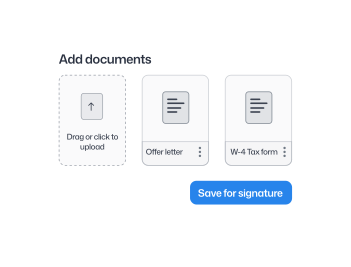
Upload or create document
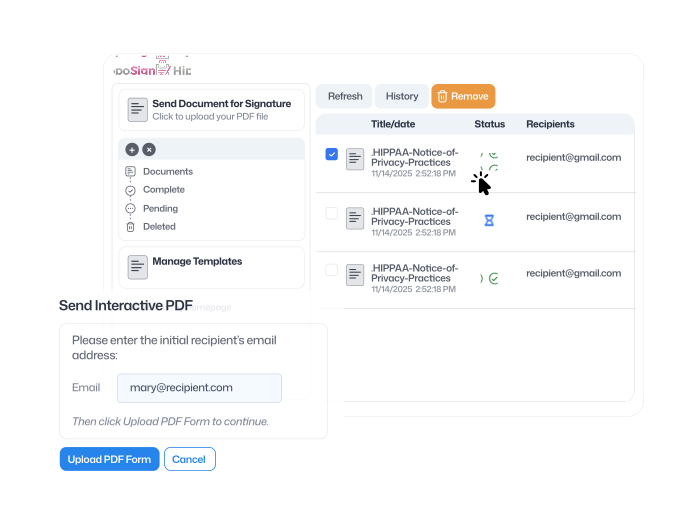
Build, edit, and prepare documents in one place
Upload your PDF document, start from a reusable template, or create a new document from scratch.
HippoSign includes a built-in PDF editor and form builder that lets you prepare documents exactly the way you need, no additional software required.
Using simple drag-and-drop tools, you can add:
- Signature and initial fields
- Text fields for names, dates, or custom information
- Checkboxes and acknowledgements
- Drop downs and radio buttons
Everything is placed visually, so you can see exactly how the document will look before you send it.
Add Signers & Fields
Assign the right fields to the right person
Add recipients to your document, then drag and drop fields that are completed only by the assigned signer. Each field, whether a signature, initial, or text box is explicitly tied to a specific recipient, so there’s no confusion about who fills out what.
HippoSign supports:
- Signer-assigned signature fields
- Signer-assigned initial fields
- Signer-assigned text boxes
- Clear visual indicators showing which fields belong to each recipient
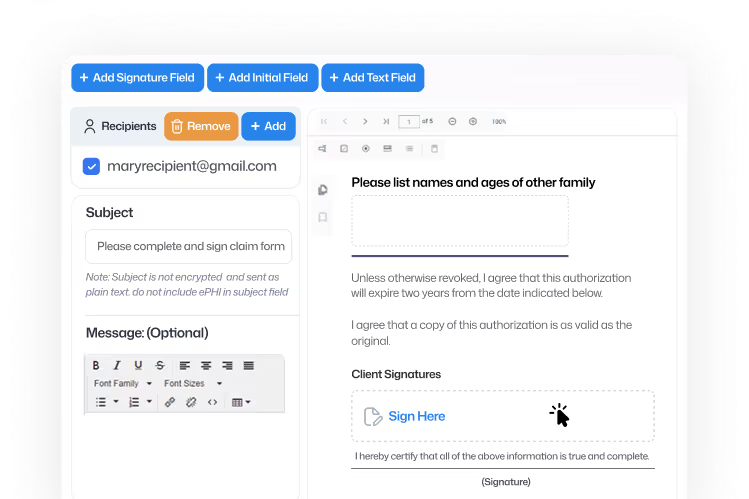
Each signer sees only the fields intended for them, ensuring accurate completion every time.
Simple Setup, Accurate Results
Field assignment is visual and intuitive. Just select a signer, place their fields on the document, and move on. HippoSign handles the rest, guiding each recipient through only their required fields during signing.
This keeps documents clean, prevents missed information, and makes even first-time setup feel effortless.
Send & Track in Real-Time
Stay informed from send to final signature
Send your document securely with a single click and track its progress the moment it’s delivered.
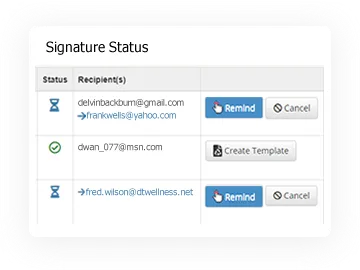
HippoSign provides real-time status updates as recipients open, sign, and complete each step, so you always know exactly where things stand.
From the Manage Documents dashboard, you have full visibility into every document you’ve sent.
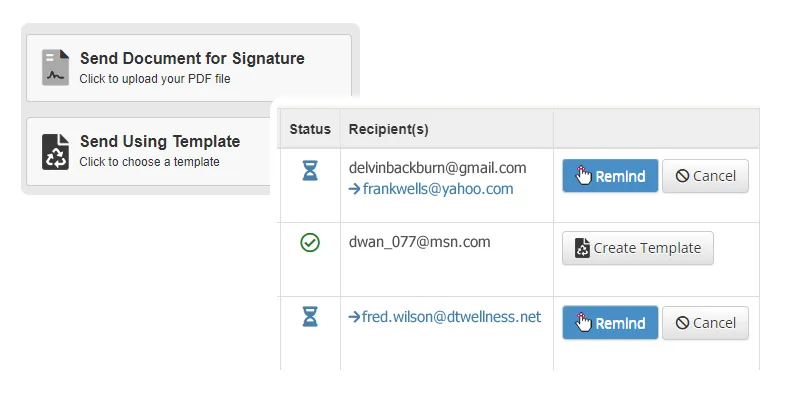
See Status, Signers, and Activity at a Glance
For each document, you can instantly view:
- Current status (pending or completed)
- All signing parties involved
- Exactly which signer is next up to sign
- A complete document activity timeline
No guessing. No waiting for email confirmations.
Keep Documents Moving with One-Click Reminders
When a document is pending, you don’t have to wonder who to follow up with.
From the dashboard, you can:
- Send a reminder to the next signer
- Prompt action without resending the document
Preview, Download, and Manage from One Place
Completed Documents at your Fingertips
The Send & Track dashboard gives you everything you need, without leaving the page.
You can:
- Preview documents at any time
- Download completed or in-progress documents
- Keep copies organized and accessible
All documents remain securely stored and easy to retrieve whenever you need them.
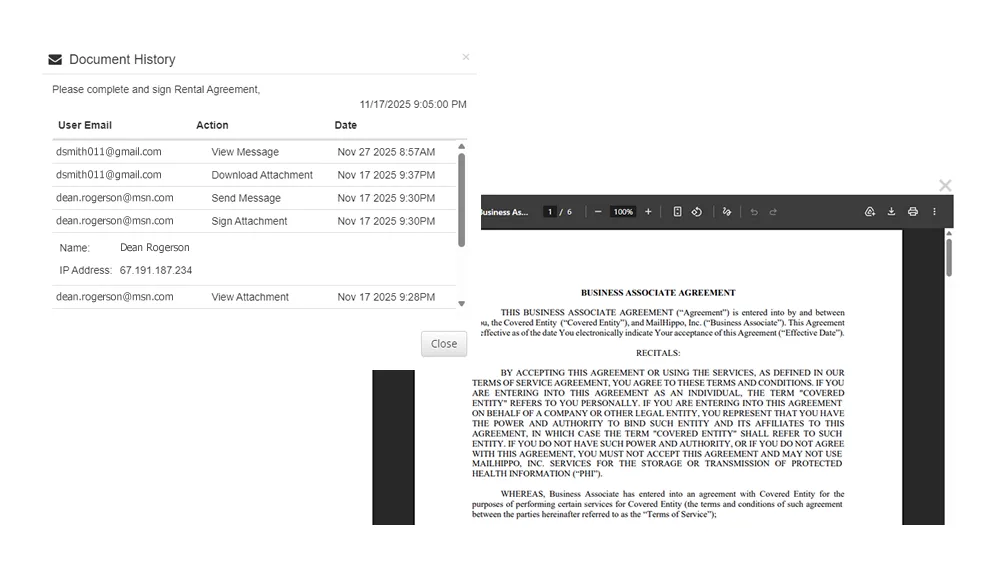
Built-In Audit Trails for Every Document
Every action taken on a document is automatically recorded.
You have access to a complete audit trail that includes:
- When the document was sent
- When each recipient viewed and signed
- Time-stamped signature activity
- Final completion confirmation
This creates a clear, verifiable record for compliance, accountability, and peace of mind.
Completed Documents, Securely Returned
Once all required signatures are collected, the completed document is securely finalized and returned to you. Both the sender and recipients have access to the fully signed document, along with its audit trail, ensuring a trusted and professional signing experience from start to finish.
Confidence at Every Step
With real-time tracking, full visibility, and built-in audit trails, HippoSign keeps you informed and in control, so nothing falls through the cracks.
Send confidently.
Track effortlessly.
Complete every document with clarity.
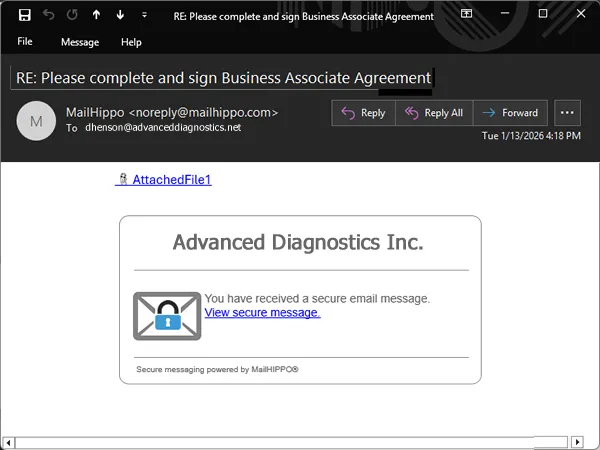
HippoSign makes secure document signing effortless.
Every signature collected through the platform is legally binding under U.S. electronic signature laws, while also meeting strict security and healthcare standards. The result is a signing experience that’s trusted, compliant, and easy for both you and your recipients.
Designed for small businesses and healthcare professionals, HippoSign keeps your workflows fast, reliable, and stress-free, without sacrificing legal validity or compliance.
Key benefits include:
- Legally binding electronic signatures compliant with the U.S. ESIGN Act
- Fully compliant with HIPAA and HITECH
- Automatic encryption in transit and at rest
- Sign securely from any device
- Business Associate Agreement (BAA) included for healthcare providers


Explore More Features
Discover additional tools that enhance your workflow and help you get more done with HippoSign.

Frequently asked questions
Up to 25 parties can sign one document.
No, recipients do not need to register for an account. They are simply asked to verify their email address upon signing with a one time code.
Absolutely. HippoSign is mobile-friendly and works on any smartphone, tablet, or computer via the HippoSign web portal. No app installation required.
Signed documents are stored securely in your HippoSign dashboard, with alerts sent via email.
HippoSign uses the PDF standard for maximum compatibility and security. If you have a document in another format such as Word, simply open the document and choose Print to PDF. This will generate a PDF file which can be used with HippoSign.
Simply click the Get Started button. Then sign up and start signing!
No. HippoSign is a fully cloud-based, browser-only electronic signature platform that does not require any software downloads, mobile apps, browser extensions, or plugins for either senders or signers. Everything runs securely online and works in any modern web browser on desktop computers, laptops, tablets, and mobile phones. Documents open instantly in the browser and can be reviewed and signed right away, with no installation, setup, or extra steps required.
Yes. HippoSign is designed for HIPAA-compliant document workflows and includes security controls appropriate for healthcare organizations.
Yes. HippoSign is designed for small businesses that need electronic signatures without the cost and complexity of enterprise e-signature platforms. It makes it easy to send, sign, and track documents online while providing business-ready features such as reusable templates, PDF editing, automated reminders, audit trails, signer verification, secure document storage, multi-party signing, and tamper-proof digital certification.
When choosing electronic signature software, small businesses should consider more than price alone. Ease of use, security, document management, signing limits, and included features can significantly affect the overall value of a platform.
To make the comparison easier, see our Best Electronic Signature Software for Small Businesses (2026 Comparison Guide), where we compare HippoSign with 9 other leading e-signature platforms across features, ease of use, security, compliance, and pricing.