
.svg)
Electronic signature software built for small business
Send contracts, proposals, agreements, onboarding documents, and more with secure, legally binding electronic signatures. Healthcare-grade security and HIPAA compliance included.
*HippoSign by MailHippo

Get documents signed in minutes: Simple, intuitive workflow that anyone can master
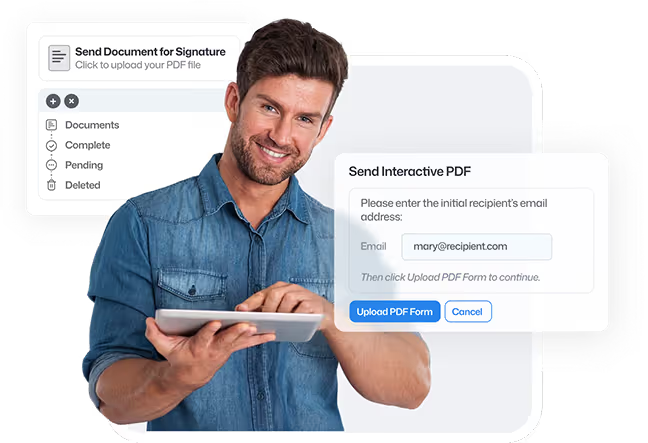
Step 1
Upload or create document
Simply upload your PDF, or start from a reusable template. HippoSign prepares your document instantly for secure digital signing.
Step 2
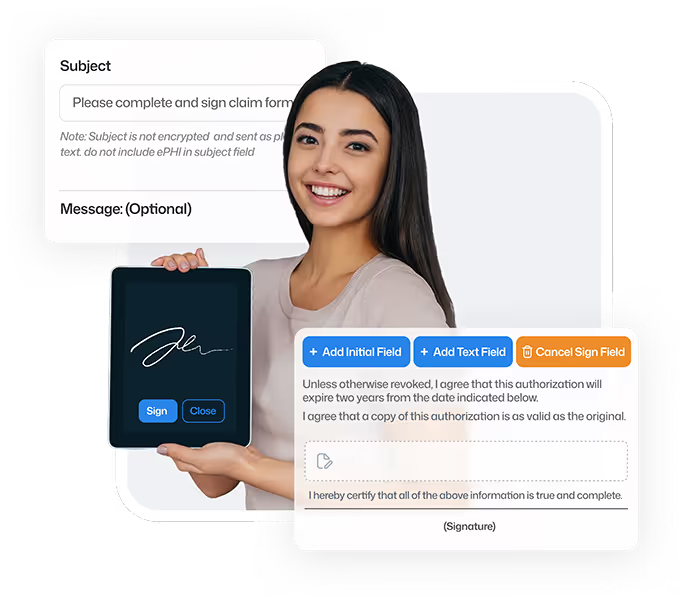
Add signers & fields
Drag and drop signature fields, initials, dates, and text boxes. Assign each field to a specific signer. Our interface makes setup intuitive, even for first-time users.


Step 3
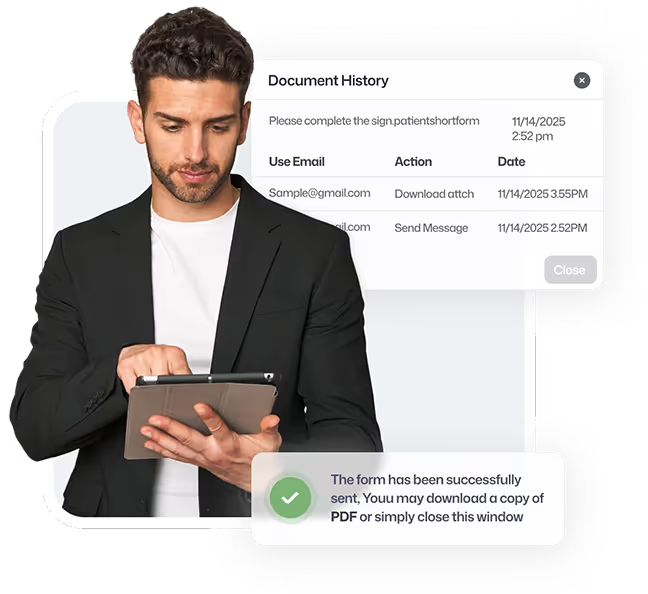
Send & track in real-Time
Send your document securely with one click. Get instant status updates as recipients open, sign, and complete the form. Built-in audit trails keep everything compliant.

Everything You Need to Sign Smarter
Powerful features designed for small businesses and healthcare providers
Simple workflow
No account required
Mobile-friendly

Legally Binding & Secure Signatures
Robust security
HIPAA compliance
Simple workflow
No account required
Mobile-friendly
Advanced security certification
Robust security
HIPAA compliance
Built to meet the strictest healthcare privacy laws. Perfect for your everyday legally binding forms.
We built HippoSign to satisfy the toughest federal privacy standards in healthcare. That same healthcare-grade protection now secures your contracts, waivers, HR forms, and more, so you can focus on your work, not your risk.


Our clients say
Real stories from customers who rely on HippoSign for secure, seamless e-signatures every day.

Frequently asked questions
Up to 25 parties can sign one document.
No, recipients do not need to register for an account. They are simply asked to verify their email address upon signing with a one time code.
Absolutely. HippoSign is mobile-friendly and works on any smartphone, tablet, or computer via the HippoSign web portal. No app installation required.
Signed documents are stored securely in your HippoSign dashboard, with alerts sent via email.
HippoSign uses the PDF standard for maximum compatibility and security. If you have a document in another format such as Word, simply open the document and choose Print to PDF. This will generate a PDF file which can be used with HippoSign.
Simply click the Get Started button. Then sign up and start signing!
No. HippoSign is a fully cloud-based, browser-only electronic signature platform that does not require any software downloads, mobile apps, browser extensions, or plugins for either senders or signers. Everything runs securely online and works in any modern web browser on desktop computers, laptops, tablets, and mobile phones. Documents open instantly in the browser and can be reviewed and signed right away, with no installation, setup, or extra steps required.
Yes. HippoSign is designed for HIPAA-compliant document workflows and includes security controls appropriate for healthcare organizations.
Yes. HippoSign is designed for small businesses that need electronic signatures without the cost and complexity of enterprise e-signature platforms. It makes it easy to send, sign, and track documents online while providing business-ready features such as reusable templates, PDF editing, automated reminders, audit trails, signer verification, secure document storage, multi-party signing, and tamper-proof digital certification.
When choosing electronic signature software, small businesses should consider more than price alone. Ease of use, security, document management, signing limits, and included features can significantly affect the overall value of a platform.
To make the comparison easier, see our Best Electronic Signature Software for Small Businesses (2026 Comparison Guide), where we compare HippoSign with 9 other leading e-signature platforms across features, ease of use, security, compliance, and pricing.